
Where memories come from
When a ticket closes, Rallied compares what the agent planned with how the technician actually resolved it. If the two differ in a way that would matter next time, Rallied records the correction. When the same correction shows up on a second ticket, it becomes a memory proposal in your review queue.Review the queue
Open Memory in the sidebar. The Waiting for review tab lists every proposal, along with the client it came from, how many times it has been seen, and the supporting tickets.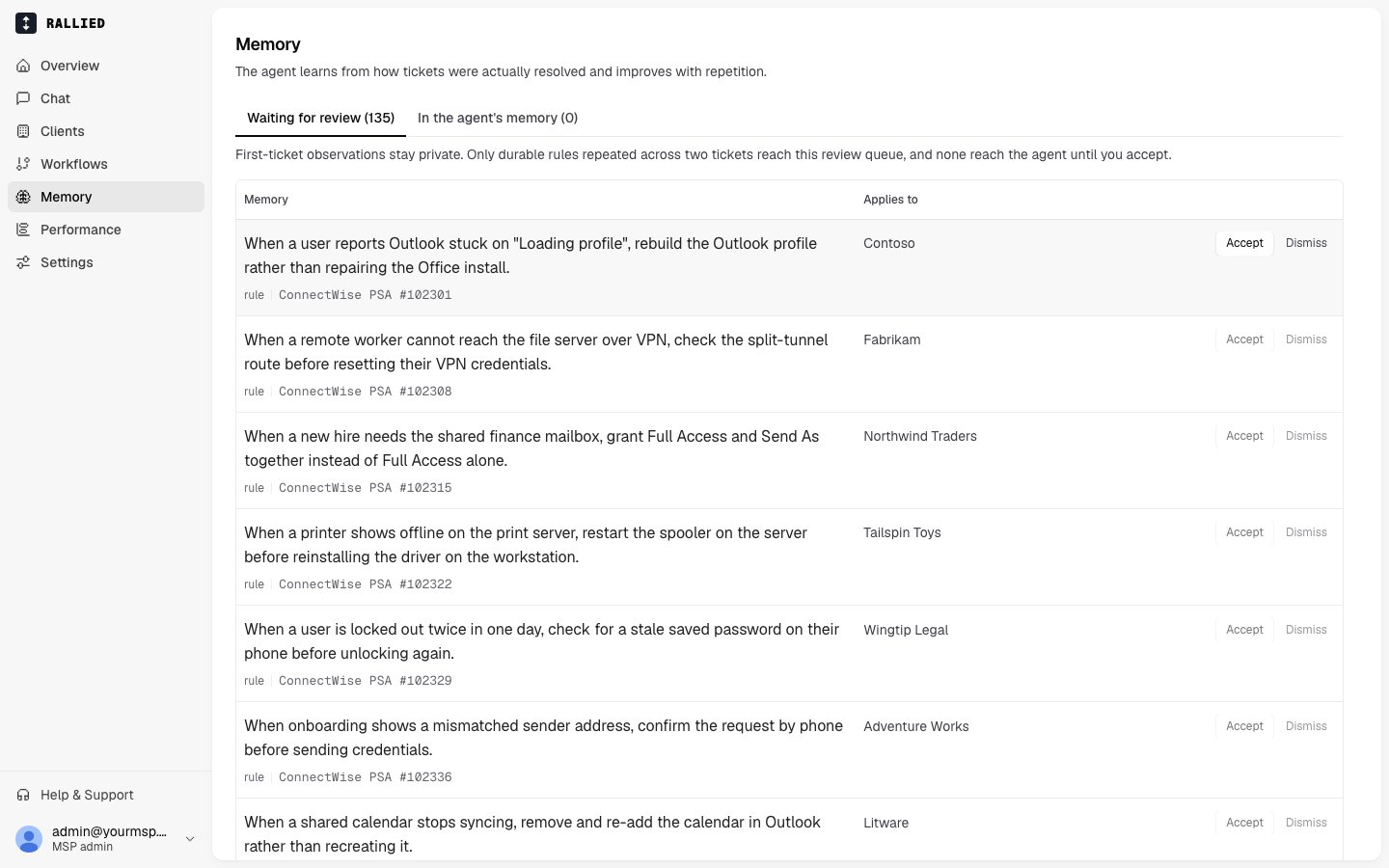
- Accept starts applying it to that client’s matching tickets. By default, it applies only to the client it came from. You can widen the scope later.
- Dismiss discards the proposal.
Manage accepted memories
The In the agent’s memory tab lists everything you’ve accepted. The agent consults these on tickets that match. To change which clients a memory applies to, open Applies to on the memory and pick either the source client or Every client in this MSP. Widening the scope requires confirmation, because a correction learned in one client’s environment may not hold in another’s. Memories that apply everywhere are tagged MSP-wide. To stop using a memory, click Stop using it and confirm. The agent stops applying the memory to new tickets.Memory, documentation, prompts and workflows
A memory is narrower than a prompt or a workflow. If the same memory keeps surfacing for the same kind of ticket, it probably belongs in a workflow.
Related
- Workflows: write the playbook when a memory turns out to be a pattern.
- Prompts: standing instructions that apply to every ticket.
- Execute Mode: the mode a client must be in to produce memories.
- Activity: see the tickets a memory was learned from.